HumanPal Tutorials
Watch This Important Video - NEW V2.0 Updates!


Create. Customize. Publish.
01
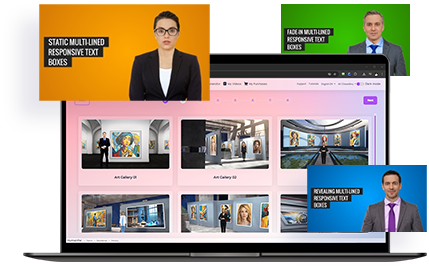
Choose Actors

02
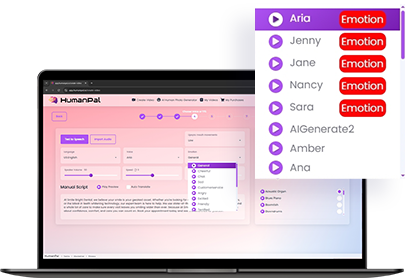
Paste Script & Pick Voice
03
Generate Video
1. COMPLETE WALK THROUGH
TIME STAMPS
0:20 - Creating Your Video
0:25 - Step 1: Choose Video Type
1:05 - Step 2: Choose Template
1:29 - Step 3: Choose Avatar
1:55 - Step 4: Choose Voice or TTS
2:05 - Import Audio
2:35 - Text to Speech
4:25 - Adding Background Music
5:10 - Step 5: Text Position
5:45 - Step 6: Video Settings
6:30 - Step 7: Create Your Video
6:40 - Scene editor and timeline
7:05 - Add, Remove, and Move scenes
8:15 - Positioning the avatar
9:10 - Adding Your Images
9:20 - Media Gallery
10:15 - Background Removal
10:35 - Cropping and Rotating
11:15 - Custom HumanPal faceswap
11:50 - Step 8: Finalize Your Video
12:10 - My Videos
13:20 - AI Human Photo Generator
14:00 - My Purchases
14:35 - Account Settings
14:45 - Color Theme
HUMANPAL v2.0 TUTORIALS
HumanPal 2.0: Using the new Avatars
HumanPal 2.0: Using the New Emotions and AI Voices

BRAND NEW v2.0 CUSTOMER TRAINING 2025
Customer Training #1:
NEW v2.0 DEMO UPDATE 2025
Create & Sell AI Videos For $100 or More
RESOURCES PDF:
99 Ways to Use Humanpal
Customer Training #2:
NEW v2.0 UPDATE 2025
How To Create & Monetize Multilingual AI Videos (V2.0)
Customer Training #3:
NEW v2.0 UPDATE 2025
How To 10x Traffic, Leads & Sales With AI Videos (V2.0)
MAIN TUTORIALS
Create 5 Minutes Videos
* Unlimited Upgrade Needed - Click Here
HumanPal Advanced Features Overview + Face Generator Tutorial
Custom Photo To HumanPal Generator (Face Swap)
How To Create Ultra Long Length Videos
Making Your Avatars Sing
Adding Company Logos and Watermarks To The Video
Creating Green Screen Videos to use in any App
Fixing Sudden Pauses In Your Videos
New Features Added November 2022
* Read the instructions on this page to unlock the new features in your account: Click Here
CUSTOMER MASTERCLASSES
Masterclass #1
Masterclass #2
Masterclass #3
Masterclass #5
Masterclass #6
Masterclass #7
Masterclass #8
Masterclass #9
Masterclass #10
© Copyright Artistly.ai